Nesting
True-shape plate nesting and profile (1D) nesting, from Tekla, NC1 or DXF parts.
In PLTNest 1.1.0.
What it does
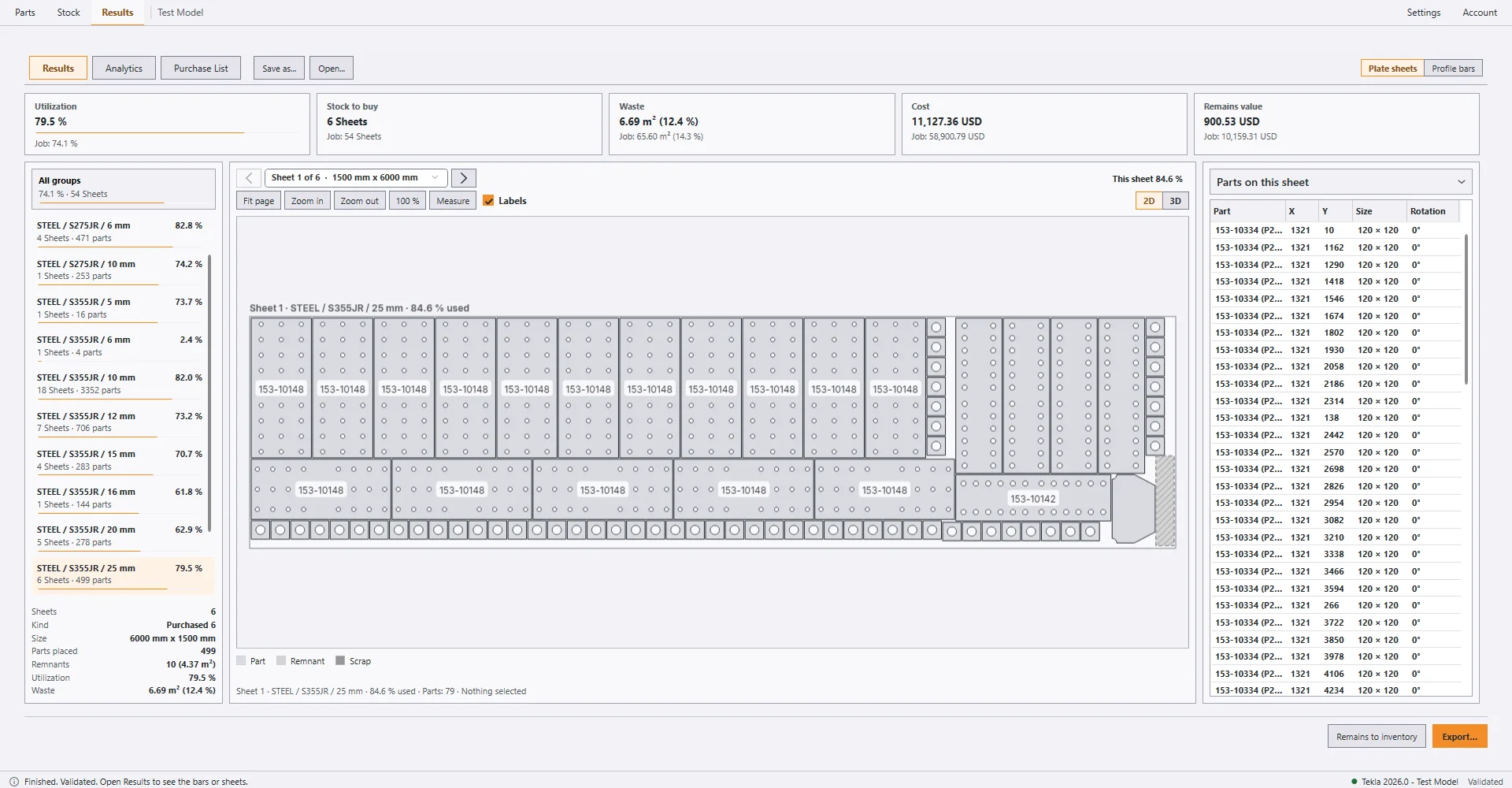
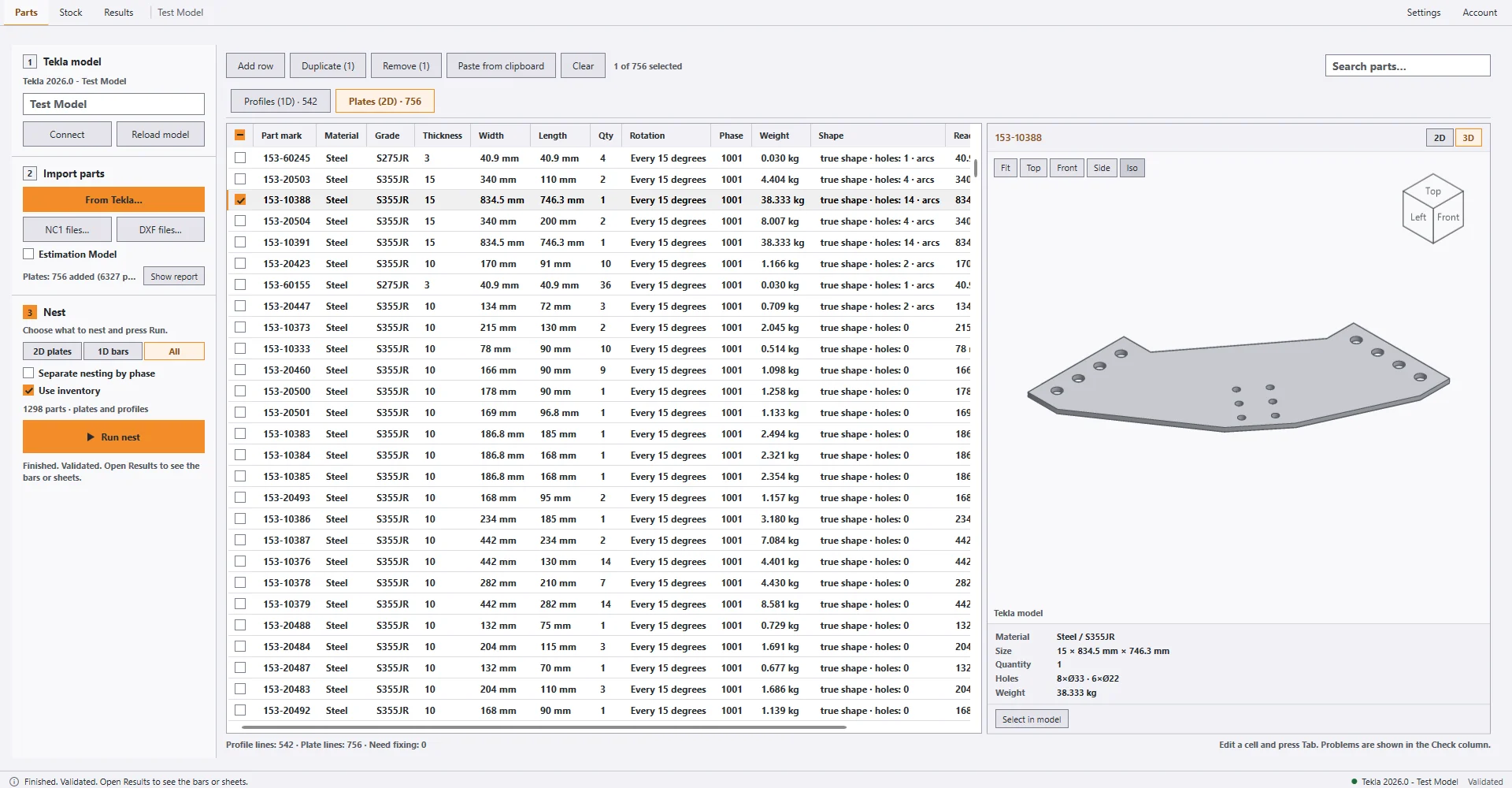
- Plate nesting uses the true shape of each part, with its holes and slots. A rectangle is used only when the part is a rectangle.
- Bent plates keep their bend lines, and the 3D preview (with a view cube) shows each part.
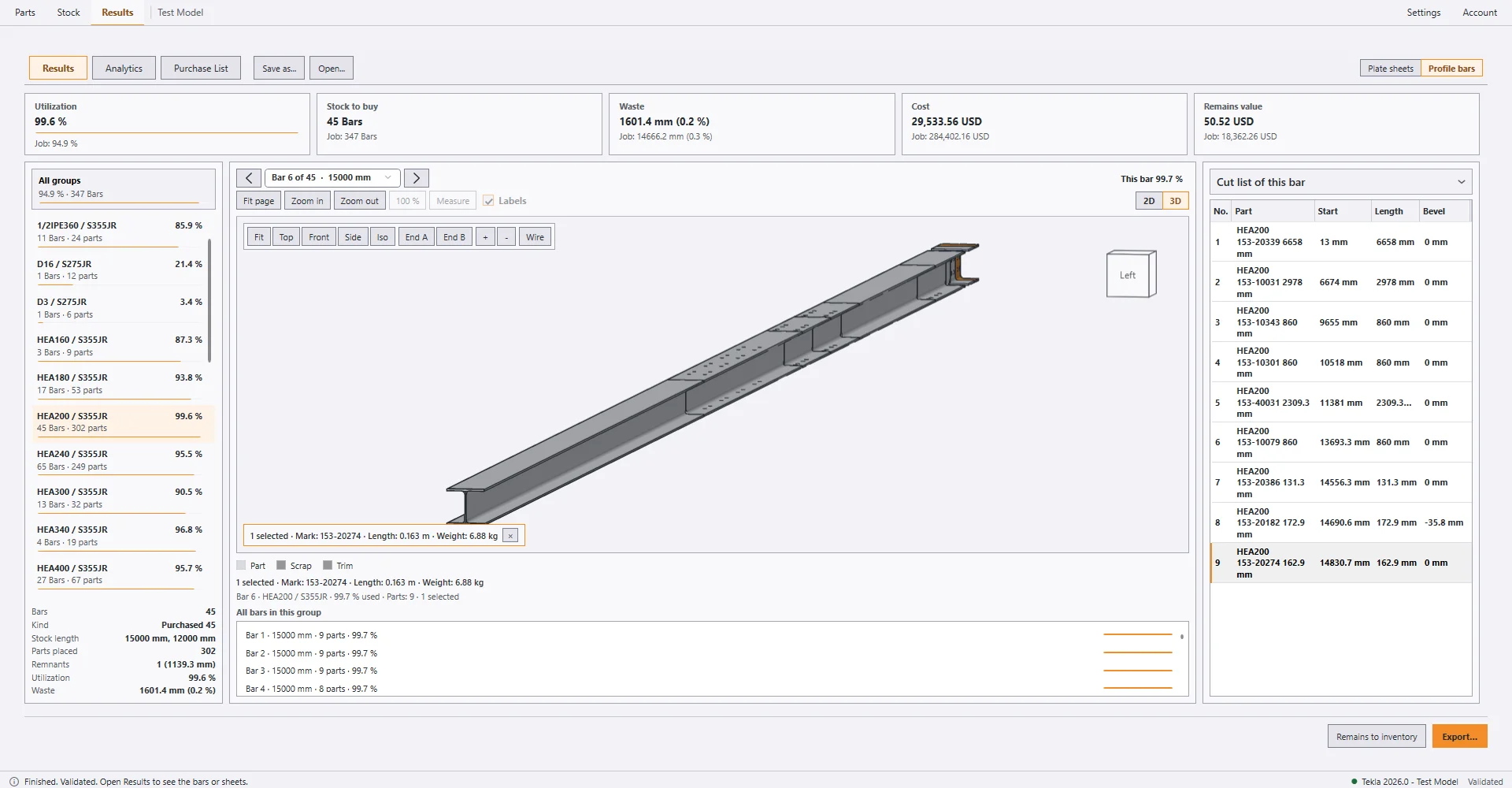
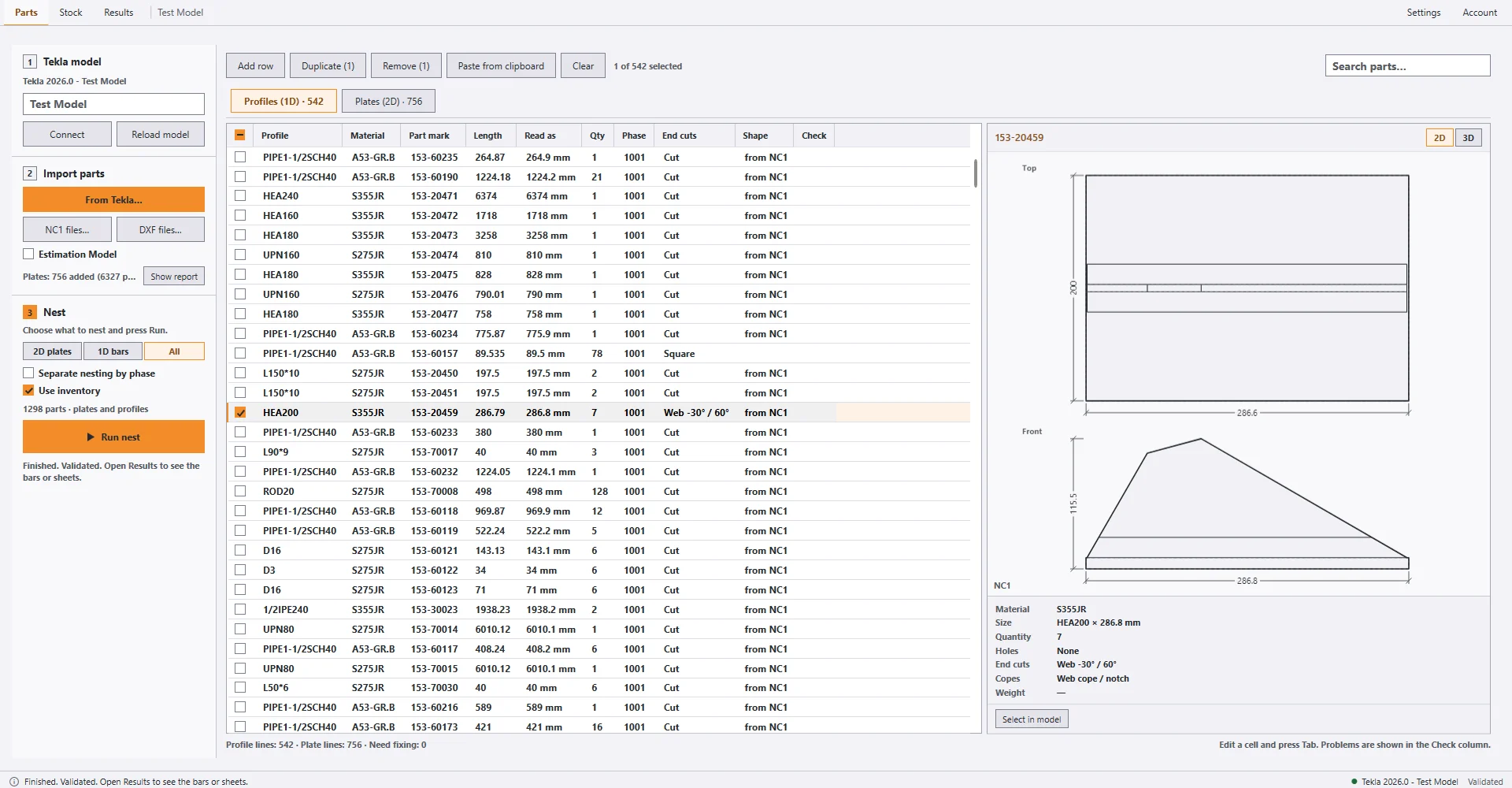
- Profile (1D) nesting cuts bars from stock lengths, and covers tubes, CHS and pipes. Mitre cuts pair automatically by rotating matching bars.
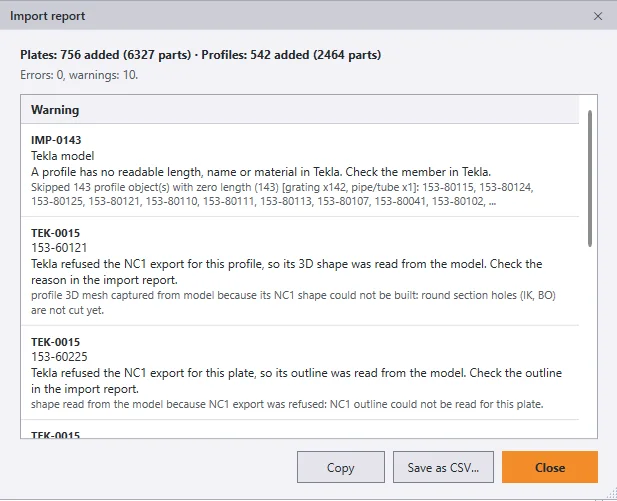
- Imports DSTV NC1 files (plates and profiles, including slotted holes) and DXF files with configurable cut layers, and reads plates and profiles from Tekla with filters and an import report.
- Supports four nesting cases: single profile, multiple profiles, single plate thickness and multiple plate thicknesses.
- Whole-model nesting runs in the background with live per-group results updated as each plate or profile group finishes.
- Automatic solver fallback keeps the run progressing if an individual group encounters an issue.
- A Finish now option saves the best nesting result found so far when stopping early.
- Bars use saw profiles for a manual band saw, an automatic saw line and a cold saw. Each profile sets kerf and trim.
- Sheets use cutting-process profiles for laser, plasma and oxy-fuel spacing and edge margins. The profile is editable.
- Results show a lower bound for the stock and how close the nest comes to it.
- Selecting a part in the cut list highlights it in the 2D and 3D previews, and the other way round, for bars and sheets.
- Every result is re-checked by an independent validator.
Limits
- True-shape nesting does not mirror parts and does not use L-shaped sheets. Parts can be placed inside the holes of other parts, one level deep.
- Full nesting and export capabilities are unlocked during the 7-day free trial and with any paid license.
- STEP import is planned for a later release.
Screenshots